E-doc
E-doc is a knowledge base and wiki portal built on Wiki.js. It provides a collaborative documentation platform integrated with Energy Logserver through single sign-on (SSO) authentication.
Service Details
Property |
Value |
|---|---|
Service name |
|
Install path |
|
Config file |
|
Database |
|
Default port |
5603 (HTTPS) |
TLS certificates |
Shared with GUI: |
Configuration
The main configuration file is /opt/e-doc/config.yml. Key settings:
Parameter |
Description |
Default |
|---|---|---|
|
Enable HTTPS |
|
|
Listening port |
|
|
TLS certificate paths |
|
|
Whether the GUI uses HTTPS |
|
|
Credentials for GUI API authentication (format: |
|
|
GUI address (only if non-default) |
|
|
Database backend |
|
|
Database file path |
|
Authentication
E-doc uses SSO with the Energy Logserver GUI. When a user clicks the E-Doc button in the top navigation bar:
The GUI verifies the user session and generates a one-time UUID token.
The browser is redirected to
https://<host>:5603/login/logserver/callback?uuid=<token>.E-doc calls back to the GUI API (
GET /api/admin/wikiuser?uuid=<token>) to retrieve user details and roles.A Wiki.js session is created with the user’s Energy Logserver identity.
Note
The e-doc system user must exist in Energy Logserver with the e-doc role assigned. This user is used by the E-doc service to authenticate API calls to the GUI.
Document Editing
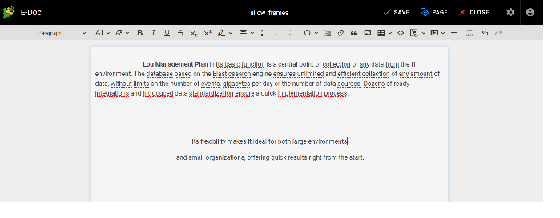
E-doc provides a full wiki editor for creating and organizing documentation pages.

Document Conversion
E-doc supports converting documents between formats.
Search Integration
E-doc indexes page content (title, description, body text, tags) in the Energy Logserver search engine using the .e-doc index. This enables full-text search and suggestions across all wiki pages.
Backup
To back up E-doc, preserve the following files:
/opt/e-doc/config.yml— service configuration/opt/e-doc/database.sqlite— page content and user data.e-docindex in Energy Logserver — search index (can be re-indexed from the database)